Activate or Disable a Pakt
Approve a Pakt with your Pakt signer, or permanently stop using it.
Your agent prepares a review link. You make the decision in the dashboard with your Pakt signer available in the browser.
Activate
After reviewing a draft, ask:
Prepare the Pakt we just reviewed for activation.
Give me the dashboard approval link.
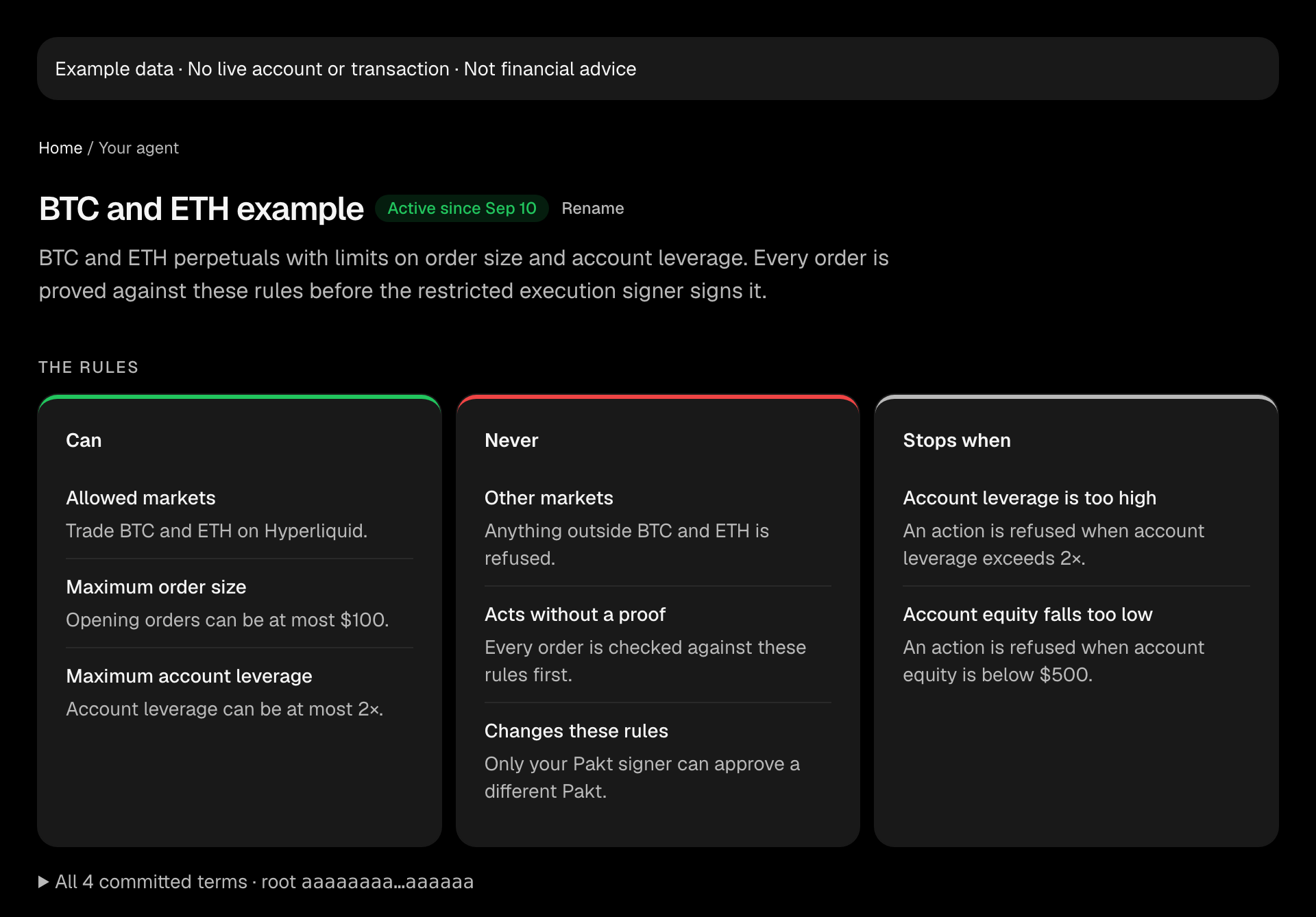
Open the link and select Review and enable on the prepared Pakt. Review its Can, Never, and Stops when rules, then select Enable Pakt. The All committed terms disclosure includes the exact terms and root. Review the account and environment in the signing request before approving with your Pakt signer. The same page updates to Active once the server confirms.
Activation and disable links each expire after six hours. If one expires, request another link for the same operation. If the approval process is interrupted, confirm the Pakt's current status before trying again.
An account can have only one active Pakt. To replace it, disable the current Pakt first, then wait five minutes before completing the replacement activation. The delay lets any previously released Hyperliquid authorization expire; Pakt never disables existing rules implicitly.
The same rule view stays available before and after enabling the Pakt in your dashboard.
Disable
Open the active Pakt in the dashboard and select Disable Pakt, then Disable permanently. Approve with the same Pakt signer. The page updates to Disabled, and its rules and activity remain available.
You can also ask your agent:
Prepare to disable Pakt root <root> and give me the dashboard review link.The existing Pakt card shows Disable awaiting approval. Open it and select Review disable to confirm. A pending request leaves the Pakt active until you sign and the server confirms. Cancelling the confirmation leaves it active; you can return to the same request while it is valid.
Disabling is permanent for that Pakt root in this account and environment. It cannot be reactivated. To change your rules, draft and approve a replacement Pakt after disabling the previous one and waiting five minutes.
Disabling does not cancel orders already submitted or invalidate signatures already released. Check outstanding activity with the venue.
Broader Signer and Wallet Access
You can also remove Pakt's restricted execution signer from the underlying wallet or revoke its Hyperliquid agent approval. These are separate from disabling an individual Pakt. See Signers, Wallets, and Control.
Tool details: prepare_pakt_activation, prepare_pakt_disable, and list_pakts.